
Instructions of downloading photos from the school intranet
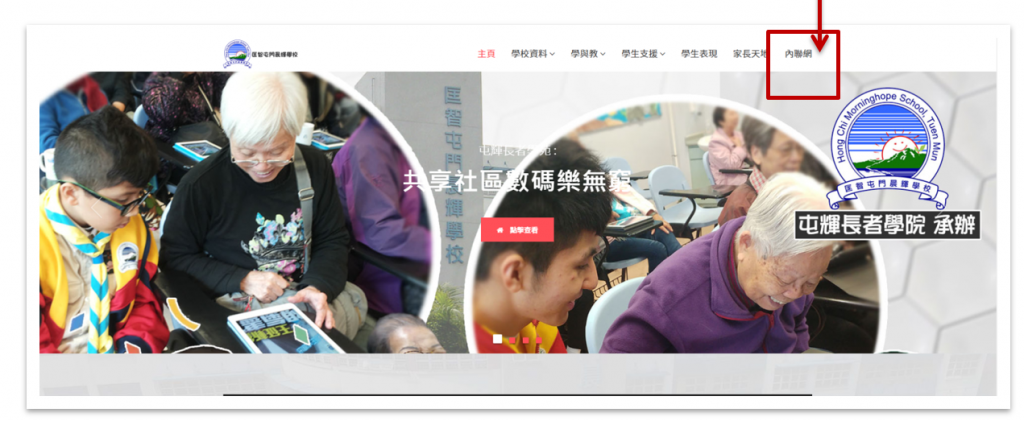
1.輸入網址https://www.hctmhope.edu.hk/ 按下内聯網。
Go to https://www.hctmhope.edu.hk/ and click the intranet.
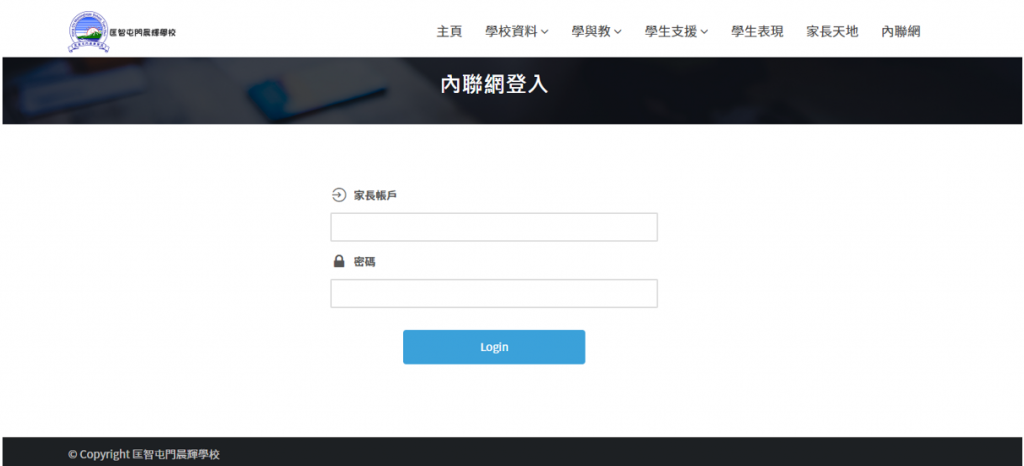
2.以家長戶口及密碼登入內聯網。
Enter your intranet account and password to login.
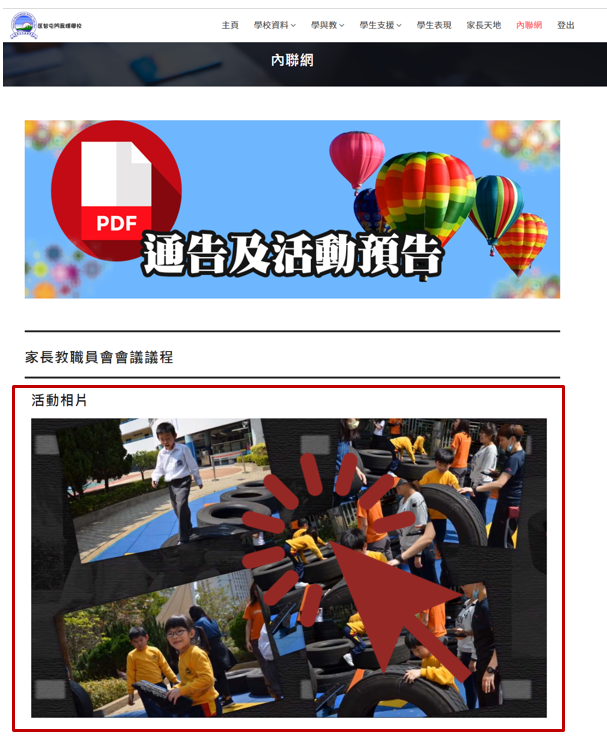
3.登入後按下活動相片。
Click the photo below.
4.選取活動 > 揀選照片
Select an event > Click on a picture you want to download.
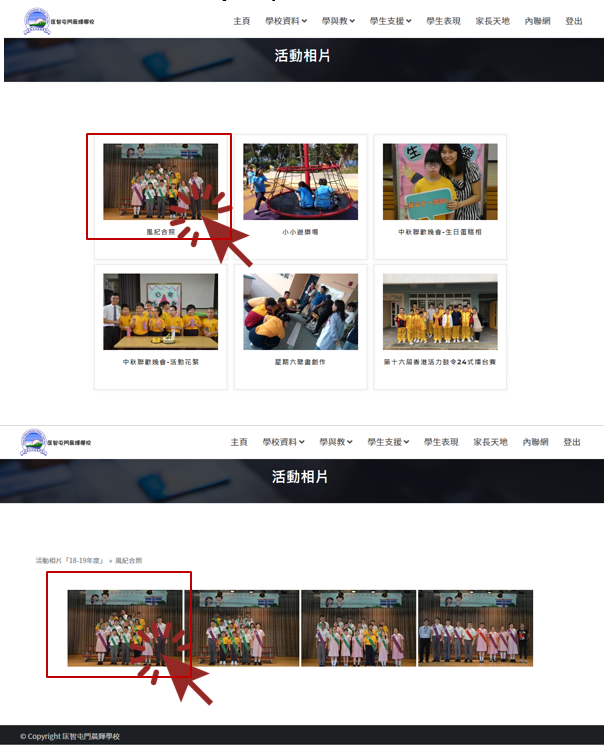
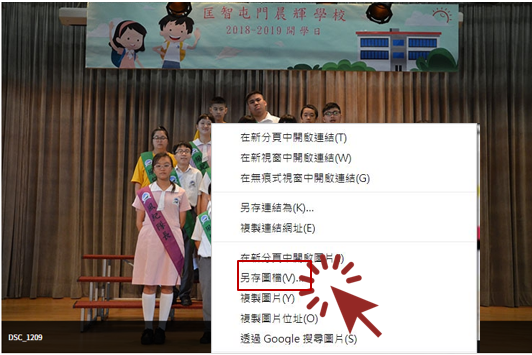
5.按滑鼠右鍵 > 另存圖檔
Right click > Save image as
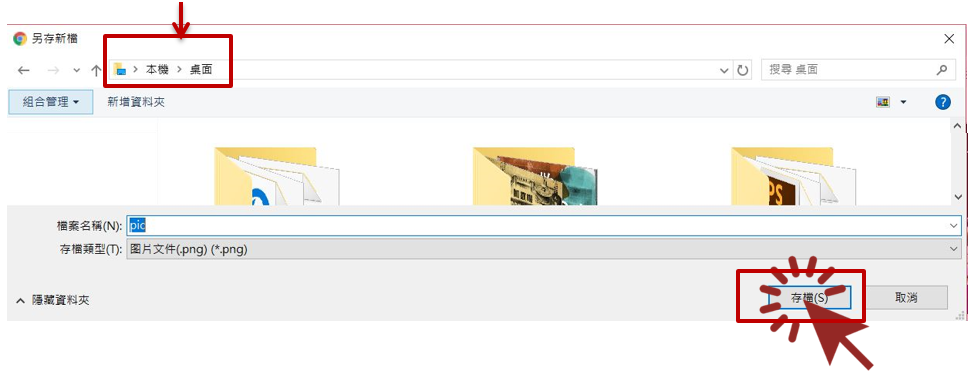
6.按下存檔儲存相片 > 完成
Press the save button to complete the download process.
可在此路經找回相片
You can find the photo by following the path below
如有查詢,請致電2462 0850聯絡張顥頤老師。
If you encounter any problem in using the school intranet, please feel free to call Ms. Cheung at 2462 0850.